AI Interview Copilot: Setup, Limits and Rules (2026)
By Kieron
Last updated October 4, 2026
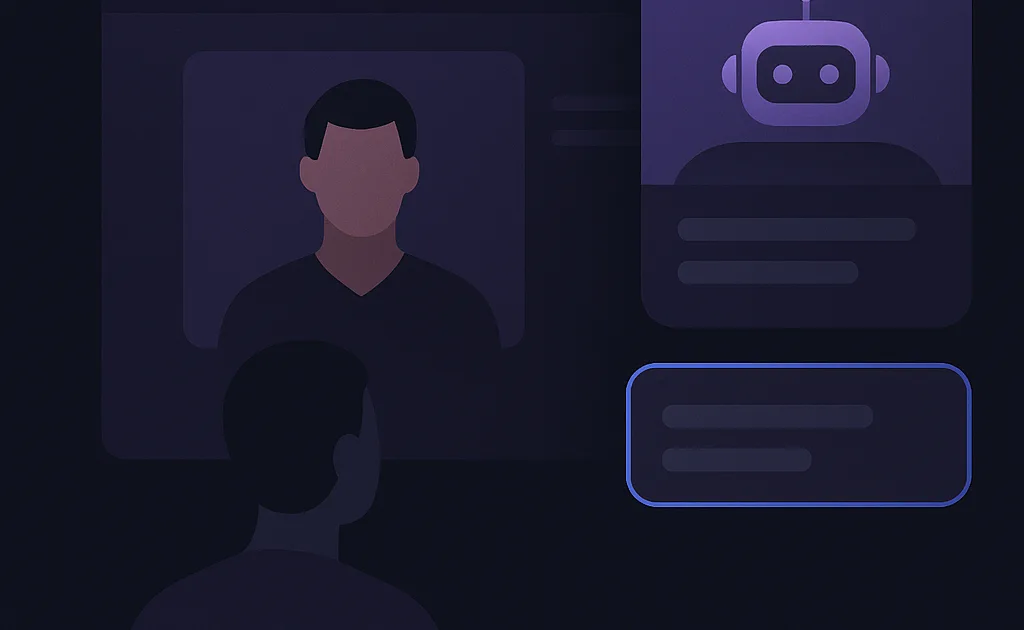
An AI interview copilot is useful in two moments: the week before an interview, when it helps you rehearse, and (where the rules allow it) during the interview, when it can give you an outline for a question you were not expecting. This guide is about the second moment, because that is where people have the most questions and where most advice online skips the awkward parts: setup problems, delay, reading your own screen, and whether you are allowed to use one at all.
If you are new to the idea, start with what an AI interview copilot is. If you want to practice first, the mock interview guide comes before this one.
Decide first: are you allowed to use one in this interview?
Everything else depends on this. Read the instructions the employer sent you. Look for words like "no outside assistance", "no AI tools", "proctored", or "you may use the internet". If the rules are silent or unclear, email the recruiter and ask. It takes one line: "Is it okay to have notes or an AI assistant open during the interview?" Recruiters get this question more often than you would think.
The rules are not uniform. Some employers ban AI during interviews and say candidates who use it can be disqualified, as Amazon's recruiting guidance does. Others now run interviews where AI is part of the format, like Meta's AI-enabled coding interview and Canva's engineering interviews. Policies change quickly, so check the current rules for your specific interview. We go through the ethics in more detail in Is using AI in job interviews cheating? and on our responsible-use page.
What a live copilot does during an interview
It captures the audio of the conversation, turns the interviewer's question into text, and generates an answer outline from that question plus your resume and the job description. You see the outline on your screen and answer in your own words. That is all. It does not speak for you, and the quality of what comes out depends heavily on what you put in.
Aissence's Interview Copilot runs as a desktop app on Windows and macOS. It is separate from our Chrome extension and does not join your meeting as a bot. Audio is captured on your device and sent to the speech and AI providers you have selected; see our privacy and safety page for specifics.
Setup, and the five things that go wrong
Most failed copilot sessions are setup failures, not AI failures. Run through this list in a test call with a friend, at least a day before:
- Audio capture picks up only you. The copilot needs the interviewer's side of the call. If it only hears your microphone, it will transcribe your own voice. Check that system audio capture is on and that the call audio is playing through the device you selected.
- Echo or feedback. Speakers plus a microphone create a loop that wrecks transcription. Use headphones.
- Delay. There is a gap between the end of a question and a usable suggestion, because capture, transcription and generation each take time. Expect a couple of seconds, longer on a poor connection. Plan to start your answer with a sentence of your own while the outline appears.
- Your resume is not loaded. Without it, the suggestions are generic. Upload the current version and the job description before the call.
- Notifications. A system notification appearing on top of the overlay at the wrong moment is distracting. Turn on Do Not Disturb.
How to use the suggestions without sounding like you are reading
The common failure mode is not detection, it is delivery. Candidates read a suggestion verbatim, their eyes track left to right, their speech goes flat, and the interviewer notices something is off, even without knowing why. A few habits help:
- Use the outline, not the sentences. Take the first beat ("situation: payments migration") and say it your way.
- Only say what is true. If the suggestion claims you led a project you only contributed to, do not say it. The follow-up question will expose it.
- Keep the window small and in one fixed spot. Hunting for it mid-answer breaks your flow far more than the delay itself.
- Pause before answering. A one-second pause reads as thoughtful, and it gives the suggestion time to arrive.
Preparing so you need it less
The candidates who get the most from a copilot are the ones who needed it least. Spend the preparation time building the material the copilot draws from: five or six solid stories from your work (see the STAR method guide), a clear 60-second background (here is a structure), and a resume where each bullet has a result you can explain. Then use the mock interview to rehearse them with follow-up questions.
Where a copilot is weak
- Rapid-fire questions. If the interviewer asks five short questions in a row, the suggestions lag behind the conversation.
- Deep technical follow-ups. It can outline an approach, but if you cannot explain why, the interviewer's next question exposes the gap.
- Noisy audio. Poor transcription means wrong questions, which means wrong answers.
- Behavioral stories you do not have. It cannot invent a real experience for you, and you should not let it.
Choosing a tool
Compare on five things, in this order: whether it is permitted for your interview type, how it captures audio on your operating system, the quality of suggestions when it knows your resume, privacy (what is stored, and which providers see your audio), and total cost over the weeks you will actually be interviewing. Price comparisons are in how much interview copilots cost, and side-by-side pages for specific tools are under Compare.
Frequently asked questions
Do interview copilots work on Zoom, Google Meet and Microsoft Teams?
A desktop copilot captures audio at the computer level, so it generally works with any video platform. Audio routing differs by operating system, so test with a friend first. See our platform notes.
Can I use an interview copilot on a phone screen?
If the call plays through your computer or you use a softphone app, yes. A call on a handset next to your laptop can work if the microphone picks up the other side clearly. Phone screen setup is covered here.
Will it write answers for coding interviews?
It can suggest an approach and outline code, but coding rounds usually test whether you can explain your reasoning live. Many coding assessments are proctored and prohibit outside help. Read this before using any tool in a coding round.
Is there a free interview copilot?
Aissence's free plan includes one live copilot session a week and one mock interview a day, with no card required. Other tools differ; here is how they compare.
Put this into practice
Continue with the Aissence workflow this guide supports.